

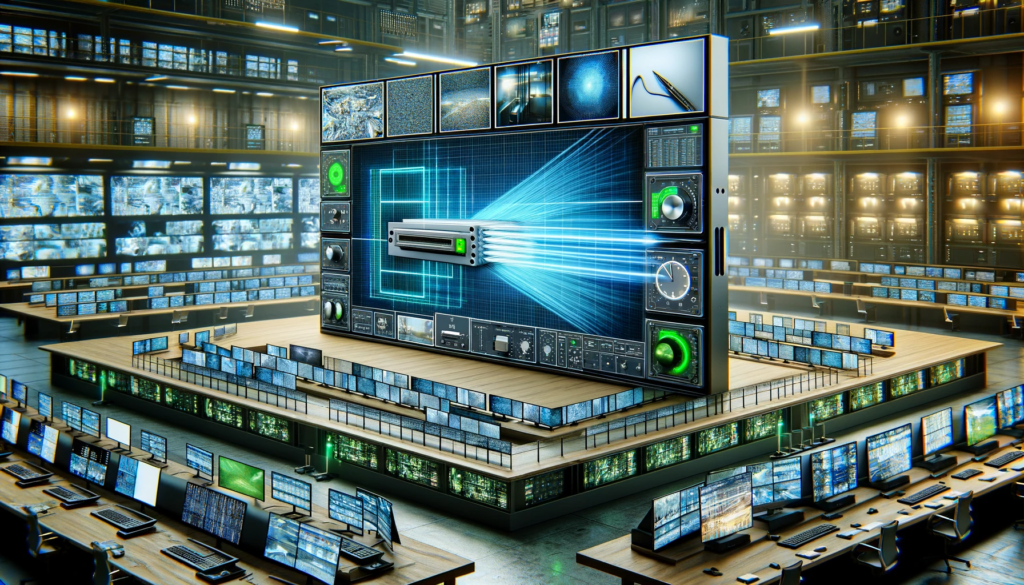
In today’s rapidly evolving landscape, the concept of a video wall has gained remarkable prominence across diverse industries. Video walls, displaying multiple screens seamlessly integrated, are transforming visual experiences. A cornerstone of this transformation is efficient video management and display optimization. The video wall scaler emerges as a pivotal tool, enhancing both performance and management.
At the heart of video wall technology lies content scaling technology, ensuring optimal screen resolution and visual content optimization. The video wall scaler, a technological marvel, leverages advanced video processing algorithms to enhance display resolution, streamlining visual content management. Enhance video management efficiency through a Video Wall Scaler, simplifying content display and control for a seamless multimedia experience.
From cost-effective solutions to troubleshooting video wall scaling issues, the market offers a plethora of options. Brands renowned for their advanced video management systems and hardware stand out, allowing for easy setup of video wall scalers.
Understanding Video Wall Scalers
A video wall scaler is an advanced piece of video processing hardware that plays a pivotal role in optimizing visual content delivery on large displays, commonly known as video walls. Unlike a standard video processor, a video wall scaler is specifically designed to handle the unique demands of multi-screen setups, ensuring that the content displayed across multiple screens appears seamless and visually cohesive.
Key Functions of a Video Wall Scaler
- Content Scaling Technology: Video wall scalers excel at content scaling, a process where they adjust the resolution of incoming video signals to match the native resolution of each individual display within the video wall. This technology guarantees that images and videos maintain their clarity and integrity regardless of the screen’s dimensions.
- Display Resolution Enhancement: One of the core capabilities of a video wall scaler lies in its ability to enhance display resolutions. By employing advanced video processing algorithms, scalers can upscale lower-resolution content to match the native resolution of high-definition displays. This results in a visually pleasing and sharp viewing experience across the entire video wall.
- Multi-Screen Integration and Synchronization: A key feature of video wall scalers is their role in seamless multi-screen integration. Scalability and synchronization are achieved through sophisticated display system synchronization methods, ensuring that the content flows seamlessly across screens without visible gaps or delays. This contributes to a captivating and uninterrupted visual experience.
Optimizing Visual Content Delivery and Enhancing the Viewer’s Experience
Video wall scalers play a pivotal role in visual content optimization, particularly in the realm of digital signage solutions and large-scale display setups. They enable the deployment of captivating and impactful content across the entire video wall, ensuring that the viewer’s attention is captured and retained.
Efficient Content Scaling Tools
By incorporating efficient content scaling tools, video wall scalers eliminate the need for manual adjustments to match different display resolutions. This streamlines the video wall setup process, saving time and resources while ensuring optimal screen resolution across all screens.
Enhancing Display Resolution with Scalable Solutions
Video wall scalers contribute to enhancing display resolutions by utilizing advanced algorithms to upscale content. This results in content appearing vibrant and clear even on high-definition displays, making sure that the viewer experiences the content in its intended quality.
Choosing the Right Video Wall Controller
Selecting the appropriate video wall controller is crucial for optimal performance. The scaler and controller work hand in hand to manage content distribution and synchronization. Top video wall scaler brands often offer compatibility with a variety of controllers, giving users the flexibility to choose the combination that best suits their needs.
Troubleshooting and Best Practices
The efficient functioning of a video wall scaler requires adherence to best practices for video wall setup and addressing potential issues effectively. Troubleshooting video wall scaling issues involves diagnosing connectivity, resolution, and synchronization problems to ensure a seamless display.
Benefits of Using Video Wall Scalers
Cost-Effective Video Wall Solutions through Efficient Display Hardware Utilization
Video wall scalers have revolutionized the way we approach visual content management and display optimization. By integrating advanced video processing algorithms, these scaler solutions play a pivotal role in streamlining video displays across various applications, resulting in cost-effective and efficient solutions. Leveraging existing display hardware to its maximum potential, video wall scalers ensure seamless integration of content, providing optimal clarity and an immersive experience for viewers.
Enhancing Visual Clarity and Seamlessness through Content Scaling
Video wall scalers excel in content scaling, a technology that enhances display resolution while preserving image quality. This process enables content to seamlessly adapt to various screen sizes and configurations, ensuring that visuals appear sharp and clear across multiple screens. By intelligently optimizing screen resolutions, video wall scalers bring out the finer details in visual content, contributing to a captivating and immersive viewer experience.
Efficient Multi-Screen Integration and Display Management
One of the key advantages of video wall scalers is their ability to facilitate seamless multi-screen integration. Advanced video wall hardware options, combined with efficient video signal processing techniques, enable the synchronization of multiple screens, creating a unified and impactful visual display. This synchronization ensures that visuals flow smoothly across screens, eliminating distractions and enhancing viewer engagement.
Digital Signage Management and Content Delivery
For businesses seeking to enhance their digital signage solutions, video wall scalers offer a competitive edge. These scalers efficiently manage and optimize visual content, ensuring that advertisements, announcements, and promotional materials are displayed flawlessly across the video wall. By choosing the right video wall controller and deploying efficient content scaling tools, businesses can streamline visual content management and captivate their target audience effectively.
Troubleshooting and Best Practices for Video Wall Scaling
Implementing video wall scalers also requires an understanding of troubleshooting and best practices. To optimize video wall resolution and mitigate potential issues, it’s essential to select the best video wall scaler brands and follow top-notch practices for video wall setup. This includes optimizing screen resolution, comparing video wall controllers, and exploring seamless multi-screen display solutions. By doing so, organizations can ensure their video wall displays perform at their best and deliver a memorable viewing experience.
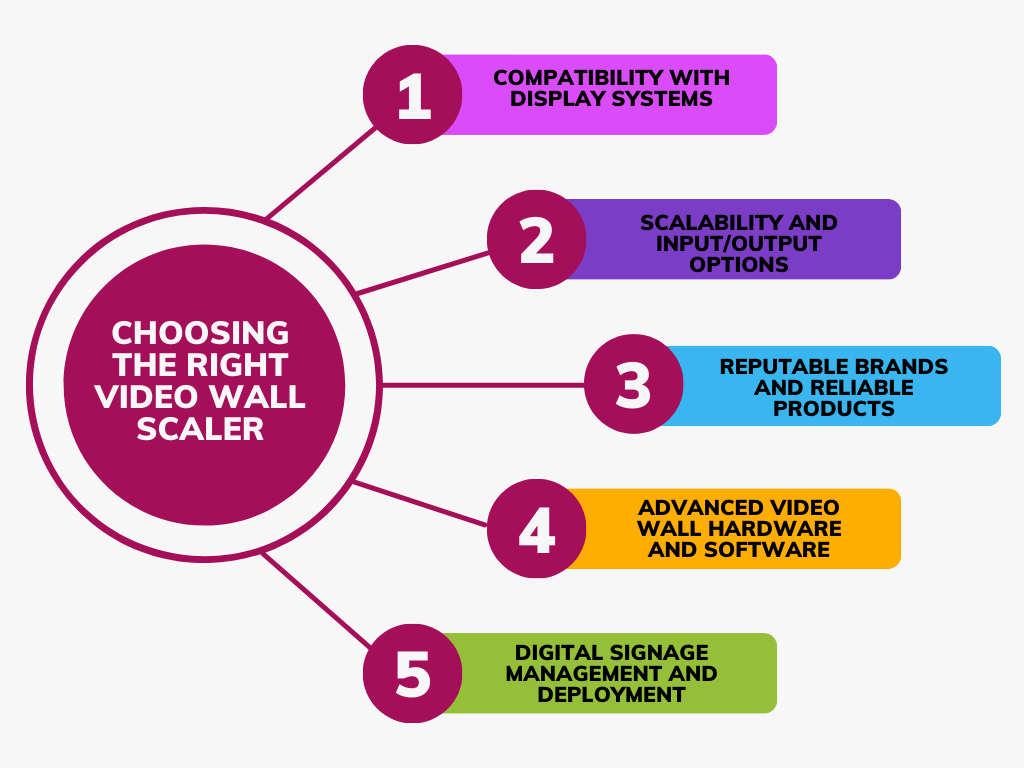
Choosing the Right Video Wall Scaler
Compatibility with Display Systems
When it comes to optimizing your video wall for seamless multi-screen integration, the choice of a suitable video wall scaler is paramount. These scaler solutions play a crucial role in ensuring efficient video display across various screens. To make an informed decision, it’s essential to consider the compatibility of the video wall scaler with your display systems. Ensure that the scaler supports the specific video wall technology you’re using, such as LCD, LED, or OLED. Moreover, check whether the scaler can handle the required display resolution enhancement, ensuring optimal screen resolution and image scaling techniques.
Scalability and Input/Output Options
One of the key factors in streamlining visual content management is the scalability of your video wall setup. An advanced video management system should offer scalability, allowing you to expand your video wall seamlessly as your needs grow. This includes the capability to connect multiple displays and sources. A good video wall scaler will offer a range of input and output options to accommodate various video sources and signal processing techniques. Look for a scaler that supports a variety of video signal processing techniques, ensuring compatibility with different devices and content delivery methods.
Reputable Brands and Reliable Products
Optimal video wall performance hinges on choosing reliable products from reputable brands. It’s tempting to go for cost-effective video wall solutions, but prioritizing quality and performance is crucial. Top video wall scaler brands are known for their advanced video hardware, ensuring efficient content scaling tools and advanced video processing algorithms. By selecting a scaler from a reputable brand, you can minimize troubleshooting video wall scaling issues and enjoy a reliable and consistent video wall setup.
Advanced Video Wall Hardware and Software
To optimize video wall resolution and achieve a seamless multi-screen display, you need advanced video wall hardware options. This includes a powerful video wall controller that can efficiently handle the scaling and synchronization of visual content. When considering video wall hardware, keep in mind the display system integration techniques. Your chosen video wall scaler should seamlessly integrate with your existing display management solutions, enhancing visual content on video walls.
Digital Signage Management and Deployment
For businesses utilizing video walls for digital signage solutions, the role of a video wall scaler becomes even more critical. Content scaling for digital signage requires efficient video display across screens, ensuring that the message is conveyed effectively. The right video wall scaler should offer an easy setup of video wall scaler, enabling you to configure your video wall quickly and effectively. Look for features that allow you to optimize video wall resolution and synchronize the content delivery process, enhancing the impact of your digital signage.
Setting Up Your Video Wall Scaler
Video wall scalers are advanced video processing devices that play a crucial role in optimizing visual displays, enhancing content scaling, and streamlining multi-screen integration. By effectively managing display resolution and video signal processing, video wall scalers contribute to creating seamless and captivating video wall setups. In this guide, we’ll walk you through the steps of setting up a video wall scaler to achieve optimal performance for your display system. We’ll also highlight essential tips and best practices to ensure a smooth setup process.
1. Selecting the Right Video Wall Scaler
Before diving into the setup process, it’s important to choose the appropriate video wall scaler for your needs. Consider factors such as the size of your video wall, the number of displays you’re using, and the content you’ll be showcasing. Research top video wall scaler brands and read reviews to identify the best options that align with your requirements.
2. Hardware Connection and Configuration
Connect Displays: Begin by connecting all displays to the video wall scaler. Ensure each display is properly connected to the scaler’s output ports. For larger video walls, consult the manufacturer’s guidelines for the recommended display layout.
Input Sources: Connect your video sources (such as computers, media players, or cameras) to the scaler’s input ports. This step enables the scaler to process and optimize the incoming content.
Video Wall Controller: Some advanced video wall scalers come with built-in video wall controllers. If your scaler has this feature, configure the controller settings according to your desired layout and arrangement of displays.
3. Optimizing Display Configuration
Resolution Enhancement: Leverage the scaler’s capabilities to enhance display resolution. Adjust the settings to match the optimal screen resolution for your displays. This step ensures that your visual content appears crisp and clear across all screens.
Content Scaling: Utilize the content scaling technology provided by the scaler to ensure that your content fits perfectly on each display. This feature is particularly useful when dealing with various content formats and aspect ratios.
Synchronization: Configure the video wall scaler to synchronize the displays for seamless content delivery. This prevents any visible gaps or inconsistencies in the content across screens.
4. Software Integration and Content Management
Video Wall Software: Some video wall scalers offer dedicated software for managing and controlling the video wall setup. Install and configure this software to fine-tune your display configuration and optimize performance.
Digital Signage Solutions: If you’re using the video wall for digital signage, explore the content management solutions offered by the scaler. Efficient digital signage management ensures a dynamic and engaging experience for your audience.
5. Troubleshooting and Best Practices
Video Wall Synchronization: If you encounter synchronization issues, refer to the video wall synchronization methods provided by the scaler’s documentation. This will help you troubleshoot and resolve any display alignment problems.
Optimal Screen Resolution: Keep an eye on the optimal screen resolution for your video wall. Adjust this setting as needed to maintain the best possible display quality.
Regular Maintenance: Periodically review and update your video wall scaler’s firmware and software to ensure you’re benefiting from the latest enhancements and bug fixes.
Enhancing Digital Signage and Visual Content Management
In the world of digital signage solutions, the power of captivating visuals cannot be underestimated. To truly engage and communicate effectively with audiences, businesses are turning to advanced video wall technology, which includes the utilization of video wall scalers. These scalers play a crucial role in optimizing visual content, seamlessly integrating multiple screens, and enhancing the overall display resolution.
Streamlining Visual Content Management
Role of Content Scaling in Adapting Visuals
Efficient content scaling technology is the backbone of successful digital signage. Video wall scalers take the lead in this arena by ensuring that content is seamlessly adjusted to different screen sizes and orientations. This is a critical aspect, as digital signage displays are often diverse and can vary from large video walls to smaller individual screens. By utilizing advanced video scaling technology, businesses can maintain consistency in their visual messaging across various displays.
Display Resolution Enhancement with Scalers
A significant challenge in the digital signage realm is managing content across displays with varying resolutions. Video wall scalers come to the rescue with their ability to enhance display resolution. These scalers employ sophisticated video processing algorithms to ensure that content looks sharp and clear, regardless of the screen’s size or resolution. This not only improves the overall visual experience but also aligns with the Google Quality Rater guidelines for providing high-quality content.
Creating Captivating and Synchronized Displays
Role of Video Wall Scalers in Effective Communication
Captivating an audience’s attention is essential for successful communication through digital signage. Video wall scalers enable businesses to create captivating and synchronized displays that leave a lasting impact. These scalers work in tandem with video wall controllers to ensure seamless multi-screen integration. By optimizing the display configuration and implementing optimal screen resolutions, businesses can curate visually stunning displays that effectively convey their message.
Display System Synchronization and Content Delivery
Video wall scalers take centre stage in orchestrating the synchronization of multiple screens, resulting in a cohesive visual experience. This synchronization is critical in avoiding disjointed content that can hinder the effectiveness of communication. With efficient video signal processing techniques, scalers ensure that content is delivered seamlessly across screens, maintaining the flow of information and enhancing user engagement.
Choosing the Right Video Wall Scaler and Troubleshooting
Selecting the Best Video Wall Scaler for Displays
Choosing the right video wall scaler is paramount for optimizing performance. Businesses can benefit from exploring top video wall scaler brands that offer advanced video management solutions. Consider factors such as ease of setup, display system integration techniques, and troubleshooting capabilities when making your decision.
Enhancing Digital Signage with Video Scalers
The advantages of integrating video wall scalers into digital signage solutions are vast. From enhancing visual content to optimizing resolution and synchronization, these scalers contribute to a seamless and immersive experience for the audience. They not only streamline video displays but also align with best practices for video wall setup, ensuring that content is relevant, engaging, and valuable to the end reader.
Troubleshooting and Maintenance
Video wall scalers play a crucial role in enhancing visual displays and optimizing content for seamless multi-screen integration. However, users might encounter a range of issues that hinder their video wall’s performance. Let’s delve into some common problems and effective troubleshooting tips to address them.
Synchronization Challenges
One of the most prevalent problems in video wall setups is synchronization. When video wall scaler solutions fail to maintain proper synchronization, the result can be a disjointed and distracting display. To tackle this issue:
- Check Signal Distribution: Ensure that the video signal is being distributed evenly to all screens. Irregular distribution can lead to synchronization discrepancies.
- Utilize Video Wall Controllers: Video wall controllers are essential for managing synchronization across screens. Choose a reliable controller to streamline the synchronization process.
- Explore Synchronization Methods: Investigate advanced video wall hardware options and video processing algorithms that offer precise synchronization, enhancing the overall display quality.
Resolution and Display Problems
Incorrect display resolutions can result in subpar visual content and hamper the viewer experience. Here’s how to troubleshoot resolution-related issues:
- Optimal Screen Resolution: Adjust the display resolution to match the native resolution of the screens. This prevents distortion and ensures content appears as intended.
- Video Scaling Technology: Employ video scaling technology to enhance lower-resolution content. This advanced video management technique optimizes content for various screen sizes without compromising quality.
- Content Scaling Tools: Utilize efficient content scaling tools that maintain the aspect ratio and clarity of the content across multiple screens.
Signal Processing Glitches
Signal processing problems can lead to distorted or pixelated images on the video wall. Employ these strategies to address signal processing glitches:
- Video Signal Quality: Ensure that the video signal source is of high quality and compatible with the video wall scaler. Poor signal quality can lead to processing issues.
- Video Wall Hardware Recommendations: Choose video wall hardware that boasts superior signal processing capabilities. High-quality hardware minimizes signal degradation and maintains visual integrity.
- Display Management Solutions: Implement display management solutions that monitor and adjust signal processing in real time. This ensures consistent and optimal display quality.
Regular Maintenance for Consistent Performance
To ensure your video wall scaler maintains peak performance and longevity, regular maintenance is essential. Here’s a maintenance routine to follow:
- Dust and Debris Removal: Clean the screens, scaler components, and connectors regularly to prevent dust accumulation that can impact performance.
- Software Updates: Keep the video wall software and firmware up to date. Updates often include bug fixes and performance enhancements.
- Calibration Check: Periodically calibrate the video wall to maintain accurate colour reproduction and alignment.
- Hardware Inspection: Regularly inspect cables, connectors, and video wall controller units for wear and tear. Replace any damaged components promptly.
- Backup and Recovery: Establish a backup and recovery plan for your video wall configurations and content. This safeguards against data loss and system failures.
Conclusion
In wrapping up our comprehensive exploration of video wall scalers, we’ve illuminated the transformative benefits they bring to video management and display optimization. Video wall scalers act as the backbone of efficient content scaling, enhancing display resolution, and seamless multi-screen integration. With advanced video processing algorithms, these scalers empower you to effortlessly manage and synchronize diverse visual content across screens.
However, the pivotal point remains: choosing the right video wall scaler. Optimal screen resolution, easy setup, and reliable video signal processing techniques come together to create an exceptional visual content management solution. As you contemplate your choices, keep in mind the troubleshooting measures, synchronization methods, and the nuances of video wall configuration.
As leaders in this domain, we encourage you to explore a range of video wall scaler options that align with your display system’s needs. These powerful tools have the potential to elevate your digital signage solutions, improve multi-screen displays, and enrich content delivery. Dive into the world of video scaling technology, and unlock the full potential of your visual content with the finest video wall scaler brands available. Your enhanced display experience awaits!
FAQs
What is a video wall scaler and how does it work?
A video wall scaler is a device that adjusts the resolution and format of input video signals to match the characteristics of multiple display screens in a video wall. It takes various input sources and converts them into a unified output resolution for seamless display across all screens. The scaler analyzes each input signal, processes it to fit the combined resolution of the video wall, and then distributes the scaled content to individual screens.
What are the benefits of using a video wall scaler?
Using a video wall scaler ensures consistent and high-quality visuals on a multi-screen display by adapting content to the optimal resolution. It eliminates distortion, maximizes image clarity, and provides flexibility to handle various input sources. Scalers also enable mixed-resolution setups, enhancing compatibility. They improve overall user experience and simplify content management.
How do I choose the right video wall scaler for my display setup?
To choose the right video wall scaler, consider factors like input/output resolution compatibility, the number of screens, input source variety, and the scaler’s processing power. Evaluate features such as aspect ratio control, image adjustment, and connectivity options. Match the scaler’s capabilities with your display setup requirements for optimal performance.
What are the advantages of seamless multi-screen displays?
Seamless multi-screen displays create visually striking and immersive environments for audiences. They eliminate visible bezels between screens, ensuring a cohesive and uninterrupted viewing experience. This setup is ideal for presentations, entertainment venues, control rooms, and digital signage, enhancing content impact and engagement.
How can video wall scalers enhance visual content management?
Video wall scalers simplify content management by accommodating diverse input sources and resolutions. They ensure uniformity across screens, reducing the need for manual adjustments. Scalability features allow effortless expansion of the video wall. This streamlines content distribution, minimizes complexity, and optimizes resource utilization.
What are the top brands for video wall scaler solutions?
Notable brands in the video wall scaler market include Datapath, Extron, Barco, Christie, Kramer Electronics, and Matrox. Each offers a range of scaler solutions with varying features and capabilities to cater to different display setups and requirements.
How do video wall synchronization methods improve display quality?
Video wall synchronization methods align the output of each display screen, eliminating visual inconsistencies such as tearing or time lag between screens. This synchronization ensures a coherent and fluid visual experience across the entire video wall, enhancing display quality and viewer engagement.
What are the best practices for setting up a video wall?
Key practices include ensuring consistent lighting, precise display calibration, and matching input sources to the video wall’s native resolution. Minimize bezel interference, employ appropriate mounting solutions, and utilize content management systems for efficient control and monitoring.
How do I troubleshoot video wall scaling issues?
If you encounter scaling issues, check input/output resolutions, aspect ratio settings, and signal quality. Update scaler firmware and drivers, ensure proper cabling, and verify compatibility between the scaler and displays. Consult manufacturer guidelines or seek professional assistance if problems persist.
Can I use a regular display instead of a video wall scaler?
While you can use regular displays for a multi-screen setup, a video wall scaler optimizes visual consistency and quality across screens. Scalers adapt content to match the combined resolution of the video wall, eliminating distortion and enhancing overall viewer experience.
How does content scaling improve digital signage?
Content scaling ensures that digital signage content fits the resolution of the display, regardless of its source. This prevents content from appearing stretched or distorted. Scaling optimizes content for various display configurations, maintaining visual integrity and delivering a polished presentation to the audience.
What are the key features to consider in a video wall controller?
Important features include support for multiple input sources, flexibility in scaling and layout configurations, real-time processing capabilities, advanced synchronization options, remote management, and compatibility with your display setup.
How do advanced video management systems optimize content delivery?
Advanced video management systems streamline content scheduling, distribution, and monitoring across a video wall. They enable remote content updates, real-time adjustments, and ensure efficient utilization of resources while maintaining a consistent and engaging viewer experience.
What is the role of video signal processing in video wall setups?
Video signal processing involves tasks like scaling, colour correction, and synchronization. In video wall setups, processing ensures that various input signals are adapted to match the video wall’s native resolution and display characteristics. This guarantees seamless content delivery and superior visual quality.
How can I optimize the screen resolution on my video wall?
Optimize screen resolution by selecting a scaler that matches or scales content to the native resolution of your video wall. Use high-quality input sources, maintain consistent aspect ratios, and calibrate displays for uniform brightness and colour reproduction to achieve the best visual experience.